Parent & Guardian Mobile App
A dedicated mobile monitoring application empowering parents to track their child's gate entry/exit logs in real time, view cumulative attendance tallies, and receive instant absence alerts.
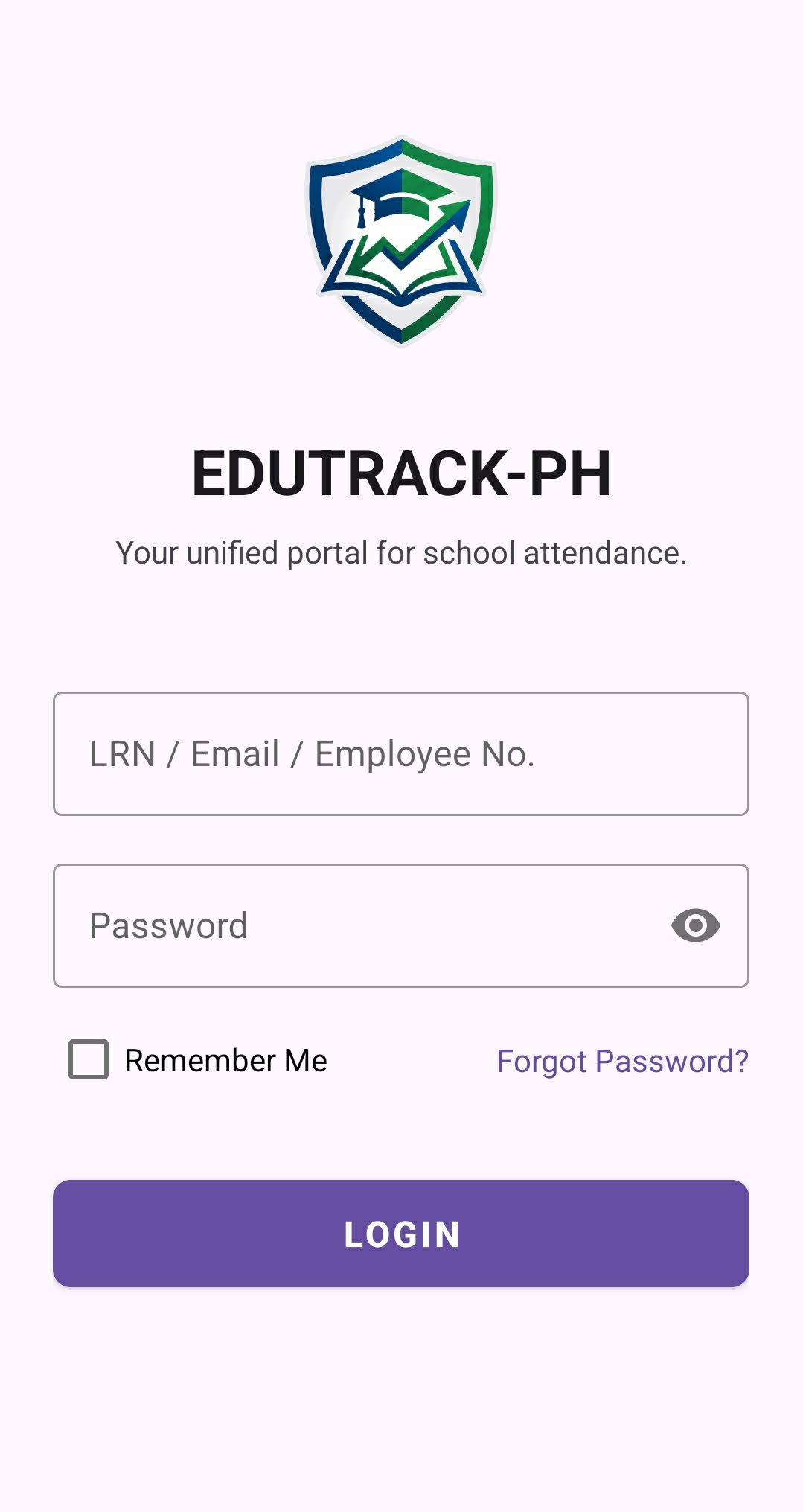
Screen 1: Mobile Portal Authentication
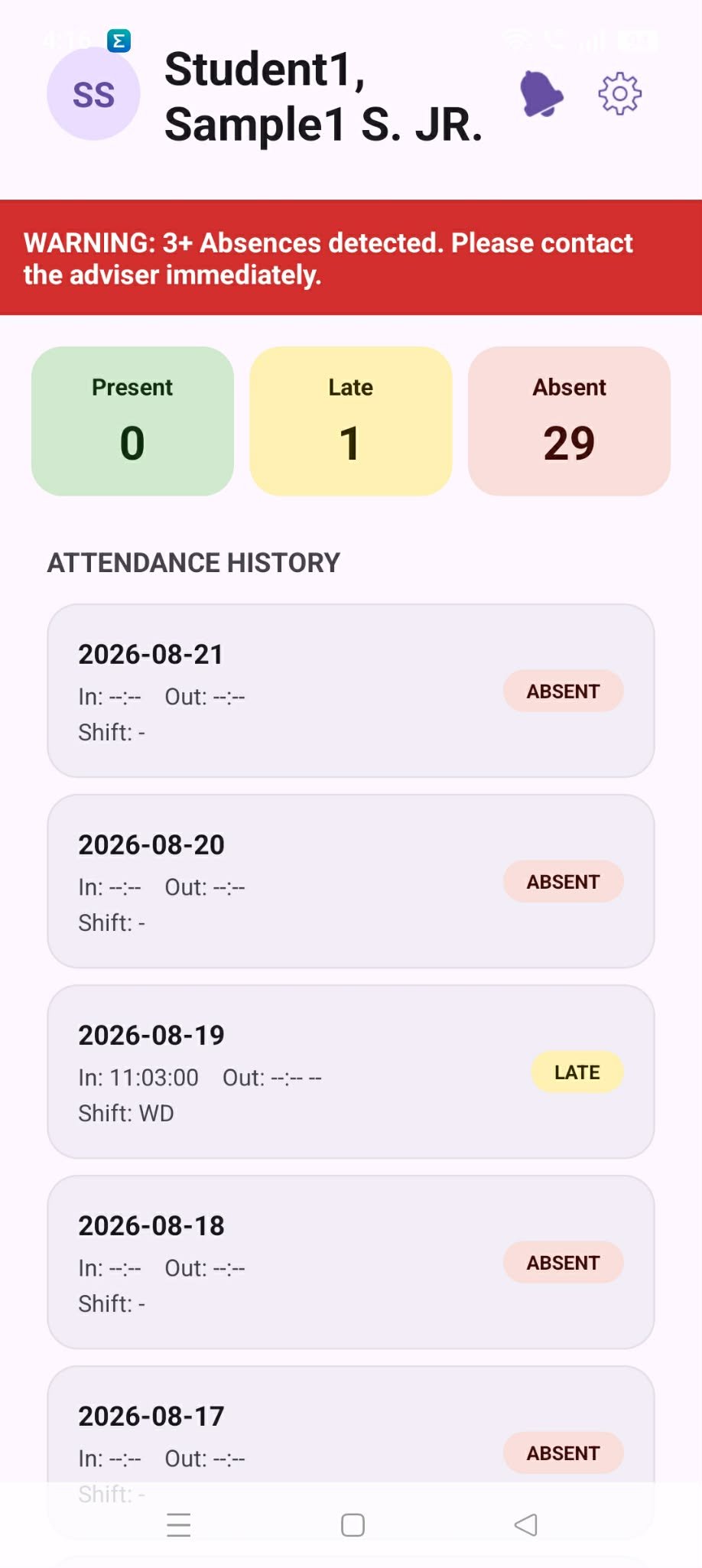
Screen 2: Real-time Attendance & History Feed
App Features for Parents
🔑 Simple LRN Login
Parents sign in using the student's official 12-digit LRN or registered guardian email without complex registration steps.
📊 Punctuality Counters
Color-coded summary cards at the top show monthly totals for Present, Late, and Absent days.
🚨 Early Warning Alert Banners
If the student accumulates 3 or more absences, a prominent red notification prompts the parent to contact the classroom adviser immediately.
⏱️ Date & Time Scan Ledger
A chronological timeline showing exact Time IN, Time OUT, and assigned shift (e.g., Shift: WD / AM / PM) for every school day.
How Parents Use the Mobile App
-
1
Download & Open the App
Download the APK from the school landing page. Launch the app on your Android smartphone.
-
2
Log in with Student Credentials
Enter the student's LRN (Learner Reference Number) in the first field and type your password. Check "Remember Me" for quick one-tap access next time.
-
3
Monitor Daily Gate Scans
Whenever your child taps their QR code ID at the school gate scanner, their arrival timestamp (e.g.,
In: 11:03:00) reflects in the Attendance History list instantly. -
4
Responding to Critical Absence Warnings
If a red "WARNING: 3+ Absences detected" banner appears, tap your notification bell or contact the student's classroom adviser for guidance and support.