System Access & Authentication
The central portal authentication modal for Administrators, Teachers, and Campus Security Personnel to access their respective system dashboards and attendance scanners.
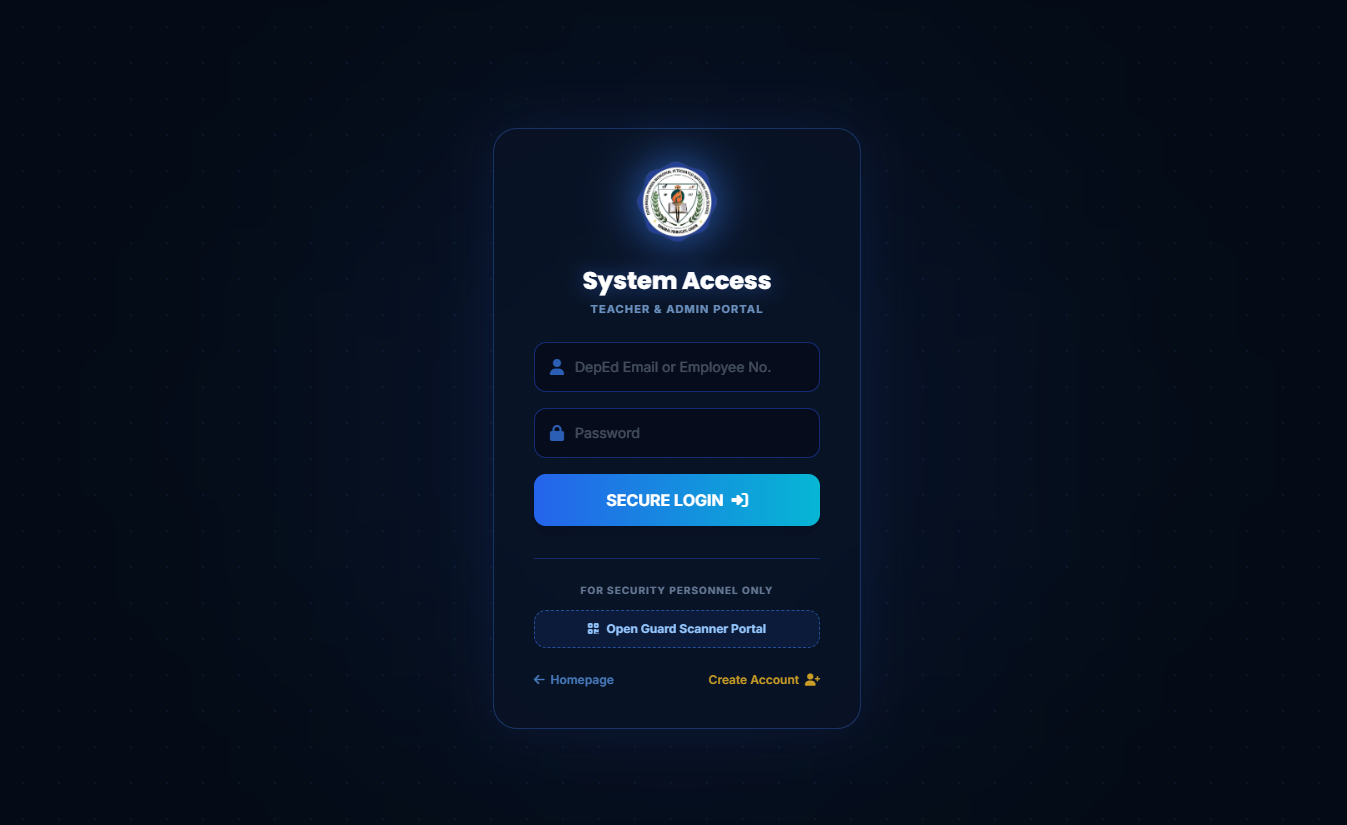
Figure 1.2: EduTrack-ph System Access Login Interface
Form Elements Breakdown
Identifier Input
Accepts registered DepEd Email addresses (e.g., name.surname@deped.gov.ph) or assigned Employee Numbers.
Password Input
Secured password field with case-sensitive character validation.
Secure Login Button
Submits your credentials for role verification and redirects you automatically to your designated dashboard (Admin or Teacher).
Guard Scanner Portal
A quick-access button dedicated to school security guards to directly launch the gate QR scanner interface.
Login Instructions by Role
Standard Dashboard Access
-
1
Enter Identifier
Type your registered official DepEd Email or your Employee ID number into the first input field.
-
2
Enter Password
Input your system password accurately.
-
3
Click "SECURE LOGIN ➔"
Once verified, teachers will land on the classroom attendance management board, while administrators will land on the admin overview panel.
Gate Scanner Access
-
1
Locate the Security Section
Look at the bottom section labeled "FOR SECURITY PERSONNEL ONLY".
-
2
Click "Open Guard Scanner Portal"
Click the button with the QR code icon to open the camera scanner for logging incoming and outgoing student attendance.