Early Warning System (EWS) & Action Alerts
Automated dropout prevention and student intervention module. Flags students with critical absentee records and provides direct communication channels with parents.
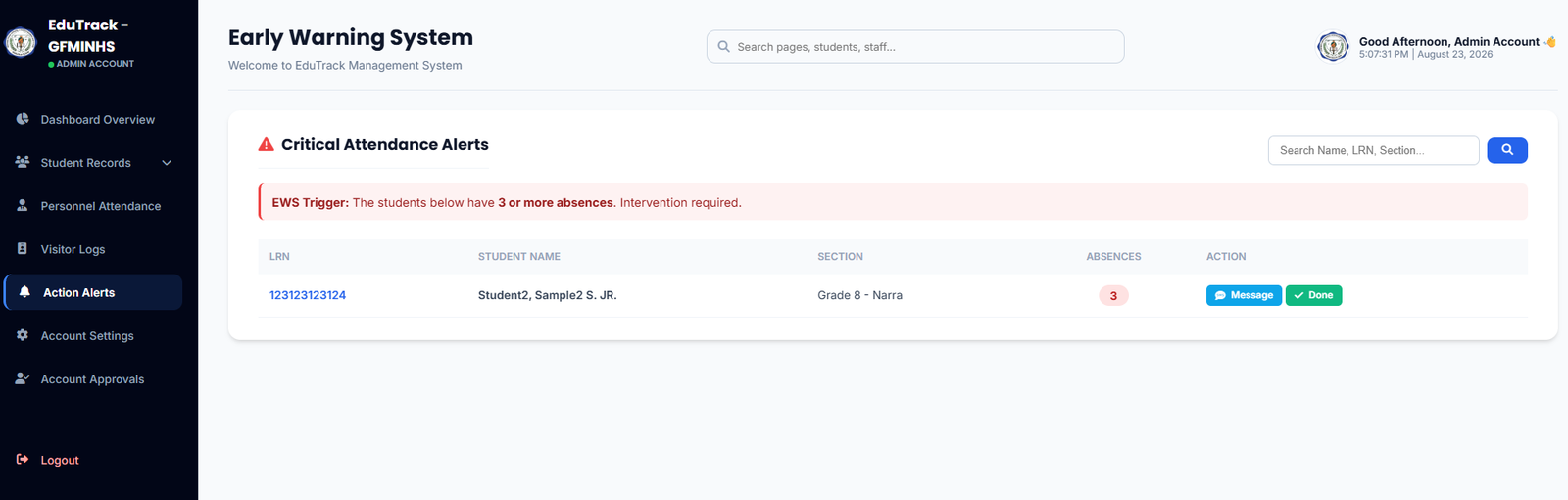
Figure 3.2: Critical Attendance Alerts showing 3+ absence EWS triggers and parent communication tools
EWS Capabilities & Notification Channels
⚡ Automated 3+ Absence Trigger
The system constantly recalculates attendance. The moment a student logs 3 unexcused absences, they are automatically queued for administrative or counselor intervention.
📲 Parent App & Email Push
Clicking dispatches official attendance warnings, intervention letters, or performance notices directly to the parent's registered mobile app and email.
✅ Intervention Resolution (Done)
Once a parent consultation, home visit, or counseling session is completed, clicking ✔️ Done closes the pending alert and archives the case note.
How to Process an EWS Alert
-
1
Review the Critical Attendance Queue
Examine the flagged students table to see their LRN, Name, Grade & Section, and exact cumulative Absence Count.
-
2
Notify Guardian (Message Action)
Click the blue "💬 Message" button. Select whether to send a standardized DepEd notice of absence or compose a custom message regarding academic standing and attendance conferences.
-
3
Resolve & Clear Alert
After communicating with the guardian or conducting a case conference, click the green "✔️ Done" button to mark the intervention as completed.