Class & Shift Assignment
Configure class time shifts (Morning, Afternoon, or Whole Day) and assign subject teachers to specific sections. This determines the exact scan thresholds for student attendance.
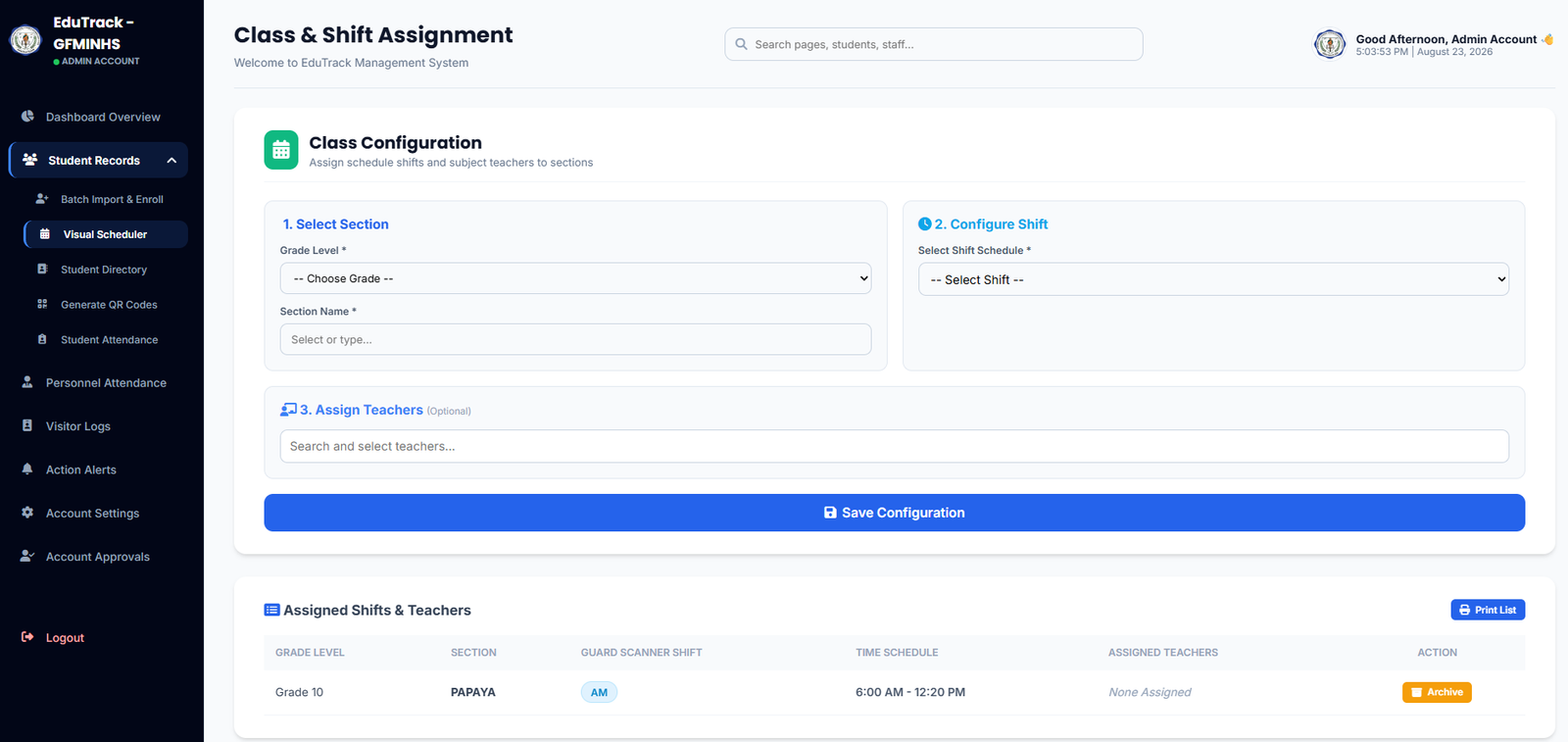
Figure 2.3: Class Configuration and Assigned Shifts Table
⚙️ Setting Up Section Shifts & Teachers
Follow these 3 simple steps to bind a section to its respective time block:
-
1
Step 1: Select Section
Choose the target Grade Level (e.g., Grade 7, Grade 10) from the dropdown and type or choose the corresponding Section Name (e.g., Papaya, Diamond).
-
2
Step 2: Configure Shift Schedule
Select the predetermined shift time from the Select Shift Schedule dropdown (e.g., AM Shift: 6:00 AM – 12:20 PM or PM Shift: 12:30 PM – 6:50 PM).
-
3
Step 3: Assign Teachers (Optional)
Search and tag subject teachers or classroom advisers to link this section directly to their teacher portal rosters.
-
4
Save Configuration
Click the blue "💾 Save Configuration" button. The section will immediately appear in the lower schedule table.
Assigned Shifts & Controls
Automated Shift Synchronization
The guard gate scanner automatically reads this schedule tag (e.g., AM) to flag whether an incoming student is On Time, Late, or attending out-of-shift.
Managing Outdated Sections
Clicking "Archive" hides past academic year configurations while safeguarding historical student attendance logs in the database.
Exporting Section Rosters
Click "🖨️ Print List" in the upper right corner to generate an official printable summary of all active sections, shifts, and assigned faculty.