Visitor & Student Logs
Track external campus guests, parents, contractors, and off-schedule student movements with photo captures, stated purpose of visit, and guard duty verification.
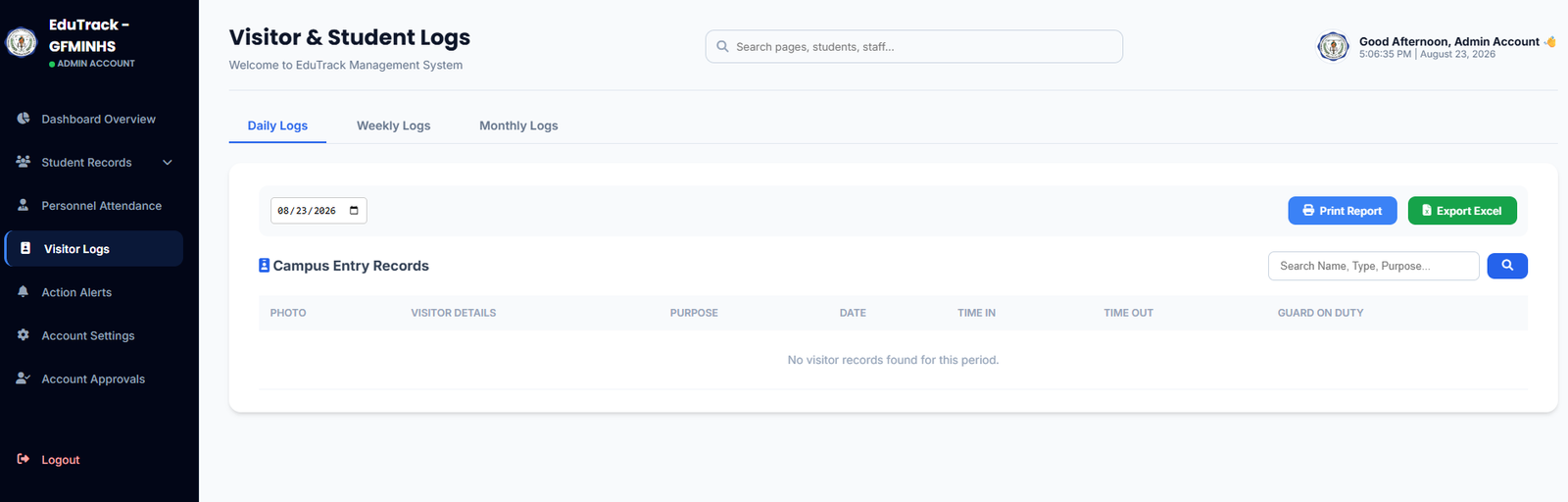
Figure 3.1: Campus Entry Records table with search, time ledger, and report exports
Campus Entry Ledger Columns
📸 Photo Capture
A gate camera snapshot taken upon visitor check-in to confirm the identity of anyone entering school grounds.
📝 Visitor Details & Purpose
Records the visitor's full name, valid ID presented, contact number, and reason for visit (e.g., Parent-Teacher Conference, Document Claiming, Maintenance).
⏱️ Time IN / OUT & Guard Duty
Logs precise check-in and check-out timestamps, along with the specific security officer on duty who authorized the entry.
How to Audit Visitor History
-
1
Switch Time Horizons
Click on Daily Logs, Weekly Logs, or Monthly Logs at the top to aggregate visitor volume over different periods.
-
2
Filter by Keyword
Use the "Search Name, Type, Purpose..." bar to find specific guests or group visits by purpose (e.g., searching "DepEd Inspection" or "Delivery").
-
3
Export Entry Records
Click "🖨️ Print Report" for a physical guest logbook backup, or "📊 Export Excel" for institutional safety audits.