Attendance Management
A centralized grade-and-section gateway for viewing class-by-class daily attendance registers, tardiness records, and historical logs.
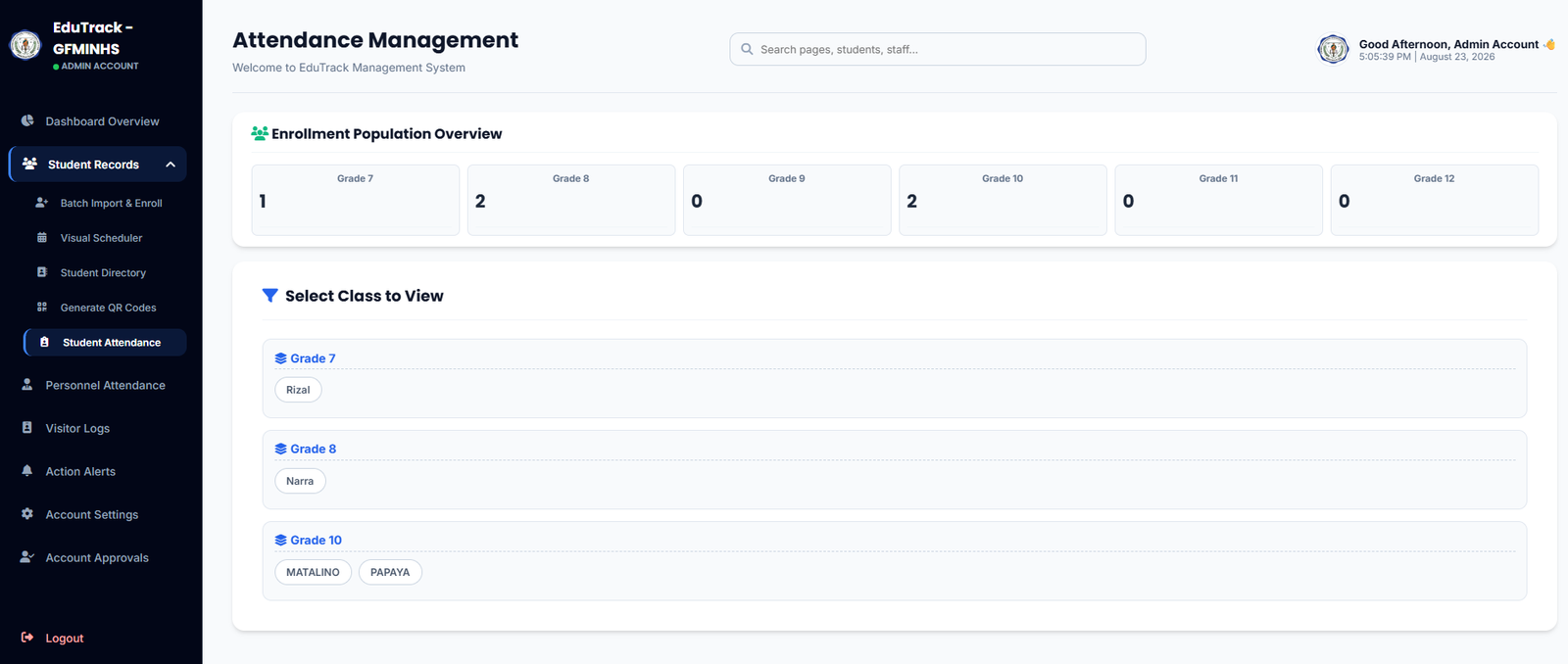
Figure 2.6: Enrollment Population Overview and Class Selection Matrix
Module Components
👥 Enrollment Population Overview
Displays a grade-level breakdown (Grades 7 through 12) showing active enrolled student headcounts for immediate school demographic visibility.
🎯 Class Selection Matrix
Organizes classes into expandable grade rows containing interactive pills for each registered section (e.g., Rizal, Narra, Matalino, Papaya).
📊 Section Attendance Registers
Clicking any section button opens the full digital log sheet, showing student IN/OUT scan times, late timestamps, unexcused absences, and exportable monthly summaries.
How to Access a Specific Section's Logs
-
1
Identify the Grade Level
Locate the corresponding grade block under "Select Class to View" (e.g., Grade 7, Grade 8, Grade 10).
-
2
Select Section Pill
Click the pill button representing the desired section (e.g., click
PAPAYAunder Grade 10). -
3
Review or Export Class Data
The section log sheet displays the day's attendance ledger with options to filter dates or export attendance records for DepEd SF2 compliance.