Account Settings & System Configuration
Manage personal administrator credentials, baseline DepEd SF2 school dates, license keys, batch teacher imports, faculty roster permissions, and security guard accounts.
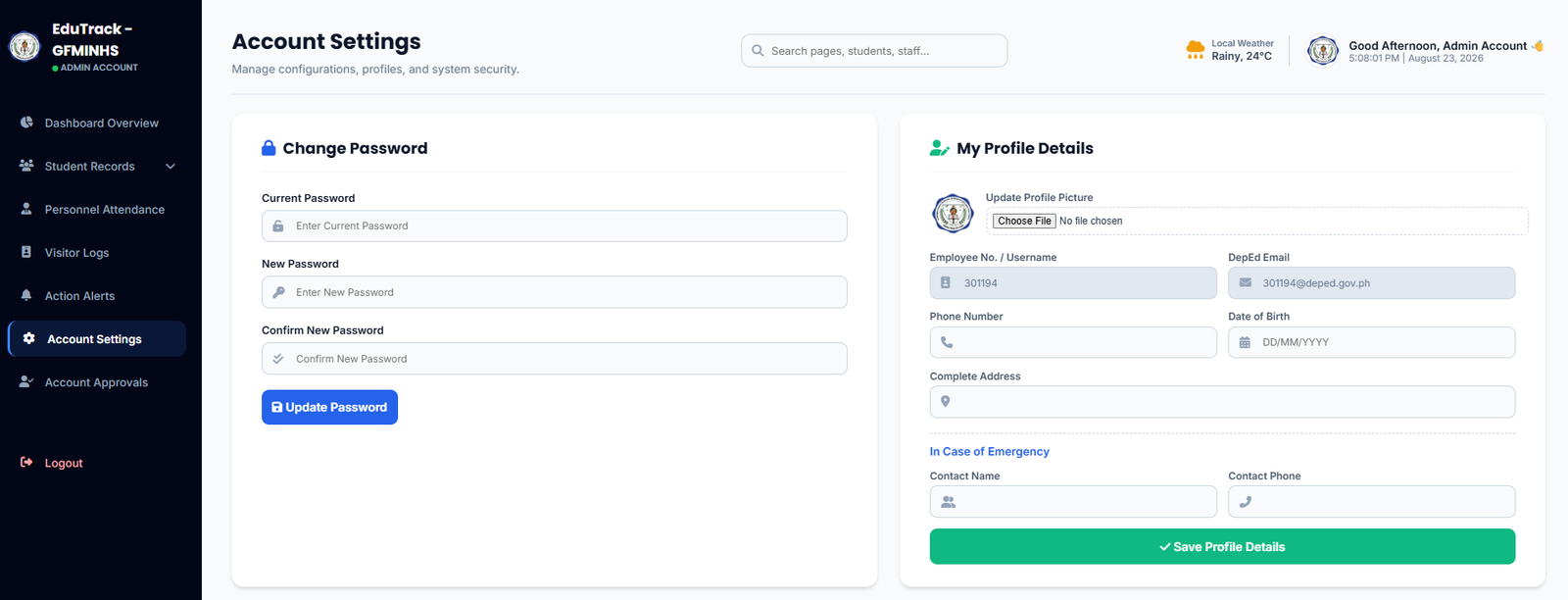
Figure 3.3A: Password Security, Profile Details, SF2 System Config, and License Activation
Part 1: Profile & Core System Setup
🔒 Change Password
Update administrator access passwords by supplying the current password and confirming new high-strength credentials.
👤 Profile & Emergency Info
Update profile pictures, phone numbers, verified DepEd email, physical address, and emergency contact details.
📅 First Day of Classes (SF2 Baseline)
Sets the official school opening date. The system uses this exact date as the baseline for calculating total school days in DepEd School Form 2 (SF2).
🔑 License & Subscription
Displays current tier status (e.g., Free Tier) and provides a product key activation box to unlock unlimited student logs and premium features.
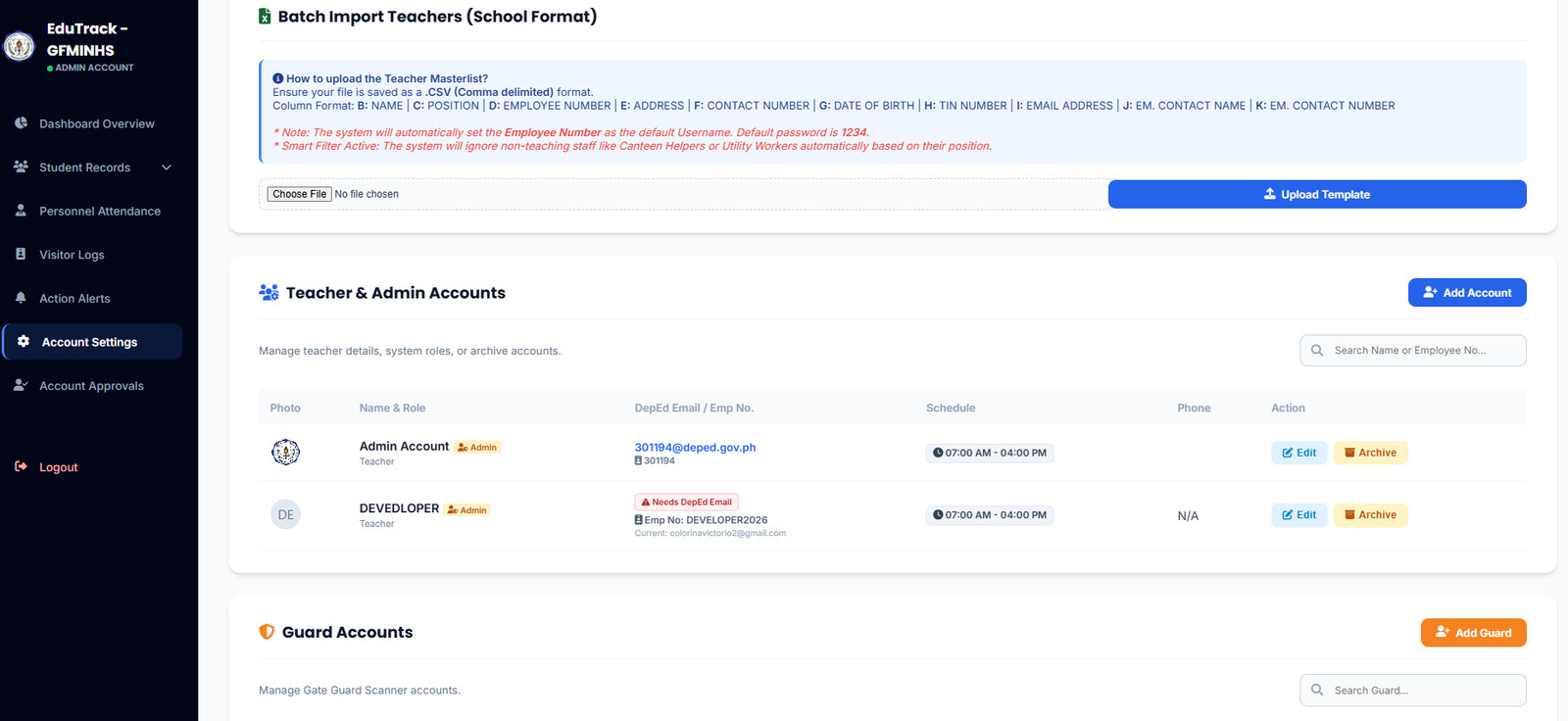
Figure 3.3B: Batch Import Teachers, Teacher & Admin Accounts, and Guard Accounts
Part 2: Staff & Guard Provisioning
📊 Batch Import Teachers (CSV School Format)
Upload faculty rosters in bulk using a standard comma-delimited .CSV file with the following column structure:
| Col | Field Name | System Behavior |
|---|---|---|
B |
NAME | Teacher full name |
C |
POSITION | Smart Filter: Automatically filters out non-teaching staff (utility, canteen staff) |
D |
EMPLOYEE NUMBER | Automatically assigned as the Default Login Username |
E - K |
CONTACT / TIN / EMAIL | Stores personal data; sets default initial password to 1234 |
👥 Teacher & Admin Accounts
List of all provisioned faculty. Administrators can assign Admin or Teacher badges, configure default work shift schedules (e.g., 07:00 AM - 04:00 PM), edit info, or archive accounts.
🛡️ Guard Accounts
Create and manage dedicated gate scanner credentials. Click "+ Add Guard" to provision gate accounts used specifically at school entry points.
Common Administration Tasks
-
1
Configuring the Academic Calendar Baseline
Under System Config, select the first day of class in the calendar picker and click "Save Configuration" to initialize automated monthly SF2 attendance formulas.
-
2
Creating a Guard Gate Scanner Account
Scroll down to Guard Accounts → click "+ Add Guard" → set the Guard's name/gate location → assign an access username and password.
-
3
Resolving "Needs DepEd Email" Flag
If a teacher's account displays the ⚠️ Needs DepEd Email badge, click "Edit" to update their profile with an official
@deped.gov.phemail for system authentication.
1234. Instruct teachers to immediately update their password under their personal settings upon first login.