Staff Attendance Records
Monitor faculty and non-teaching personnel presence, track exact gate time-in and time-out logs, view security photo audit captures, and export official DTR summaries.
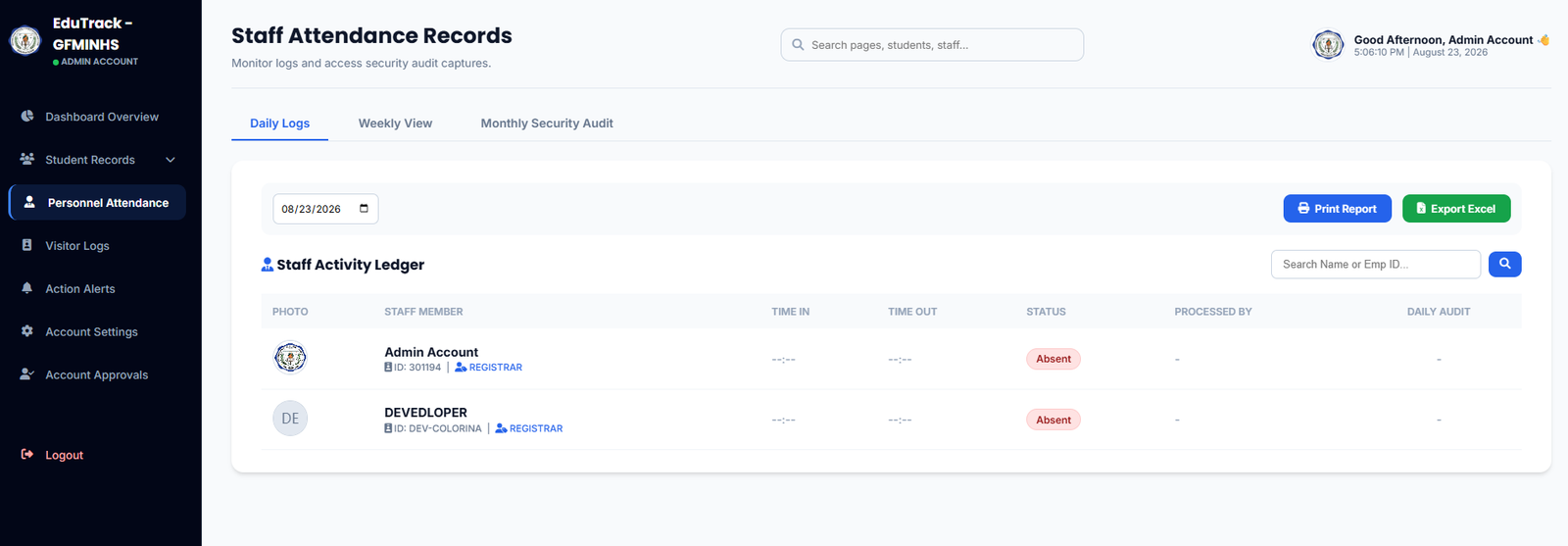
Figure 3.0: Staff Activity Ledger with time stamps, status badges, and export options
Ledger Controls & Views
📅 Multi-View Tabs
Switch between Daily Logs (live today's presence), Weekly View (5-day trend matrix), and Monthly Security Audit (comprehensive HR audit trail).
🖨️ Print Report & Export Excel
Export the active date's staff attendance into a formatted Daily Time Record (DTR) sheet or download raw spreadsheet data via the green Export Excel button.
📸 Daily Audit Captures
Provides a tamper-proof verification column linking the scan to the security guard's gate camera capture to prevent proxy/buddy punching.
How to Audit Staff Attendance
-
1
Filter by Specific Date
Click on the calendar date selector (e.g.,
08/23/2026) in the top left to load historical personnel records for any school day. -
2
Search by Staff Name or Employee ID
Enter an Employee ID number (e.g.,
301194) or a faculty member's name into the Search Name or Emp ID... input box to quickly filter the ledger. -
3
Review Punctuality Status
Check the Status column. Staff members who scanned before the designated shift start appear as Present, after shift threshold as Late, or Absent if unrecorded.
👤 REGISTRAR, 👤 TEACHER, 👤 PRINCIPAL) for easy administrative filtering.